Restoration Document Automation
Every restoration job produces a pile of evidence, photos, readings, equipment logs, notes. Someone still has to turn that into a report. This shows what happens when the paperwork builds itself, without giving up traceability or human review.
Project demonstration
From scattered field evidence to a contractor-ready report.
The application ingests a restoration job package, or a guided sample case, and checks it for completeness before anything else happens. From there it organizes evidence by room and day, drafts a report with every statement traced back to its source, and locks that report until a reviewer explicitly approves it.
How it works
Three steps, from raw evidence to an approved report.
1. Import
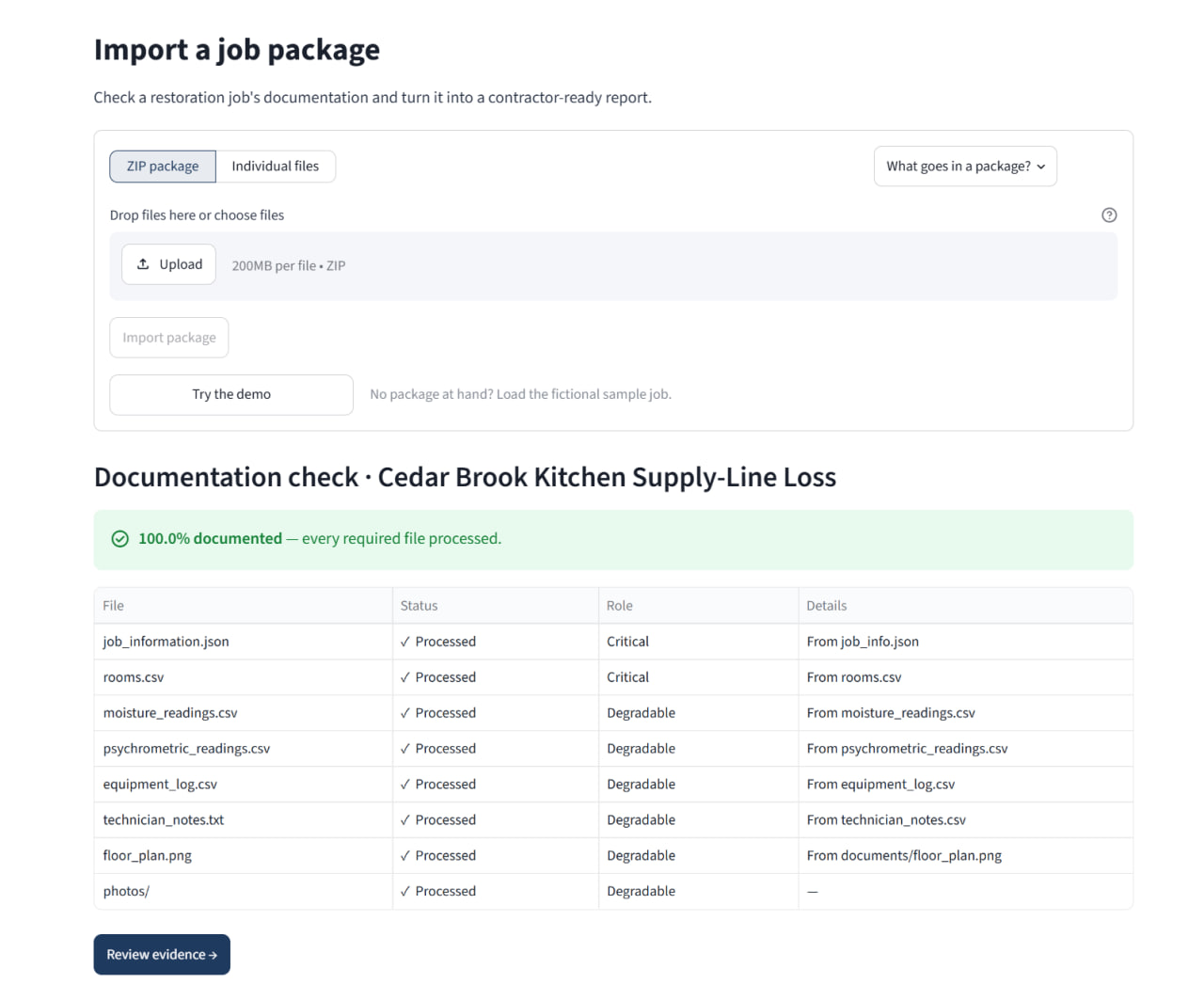
Upload a job package, or load the built-in sample case, evidence is validated on arrival, missing files are flagged, not silently skipped.
2. Organize
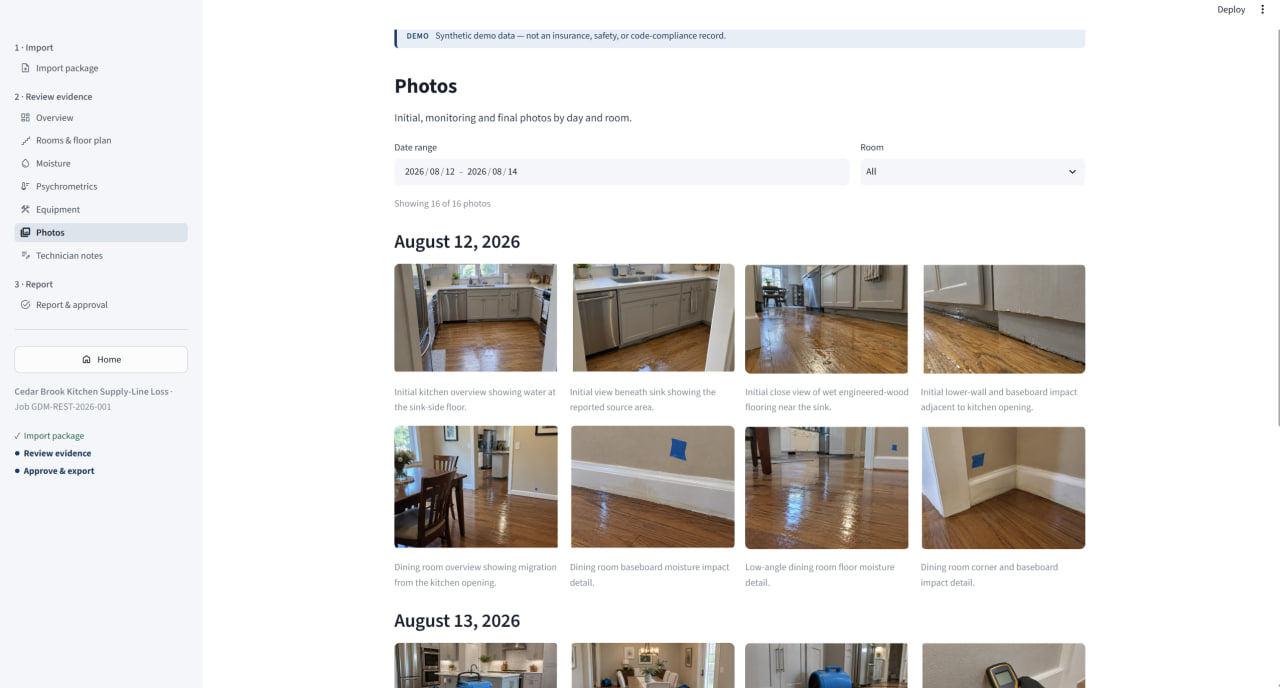
Photos, readings, equipment logs, and notes are grouped by room and day, with a documentation-health view showing exactly what's complete.
3. Approve & export
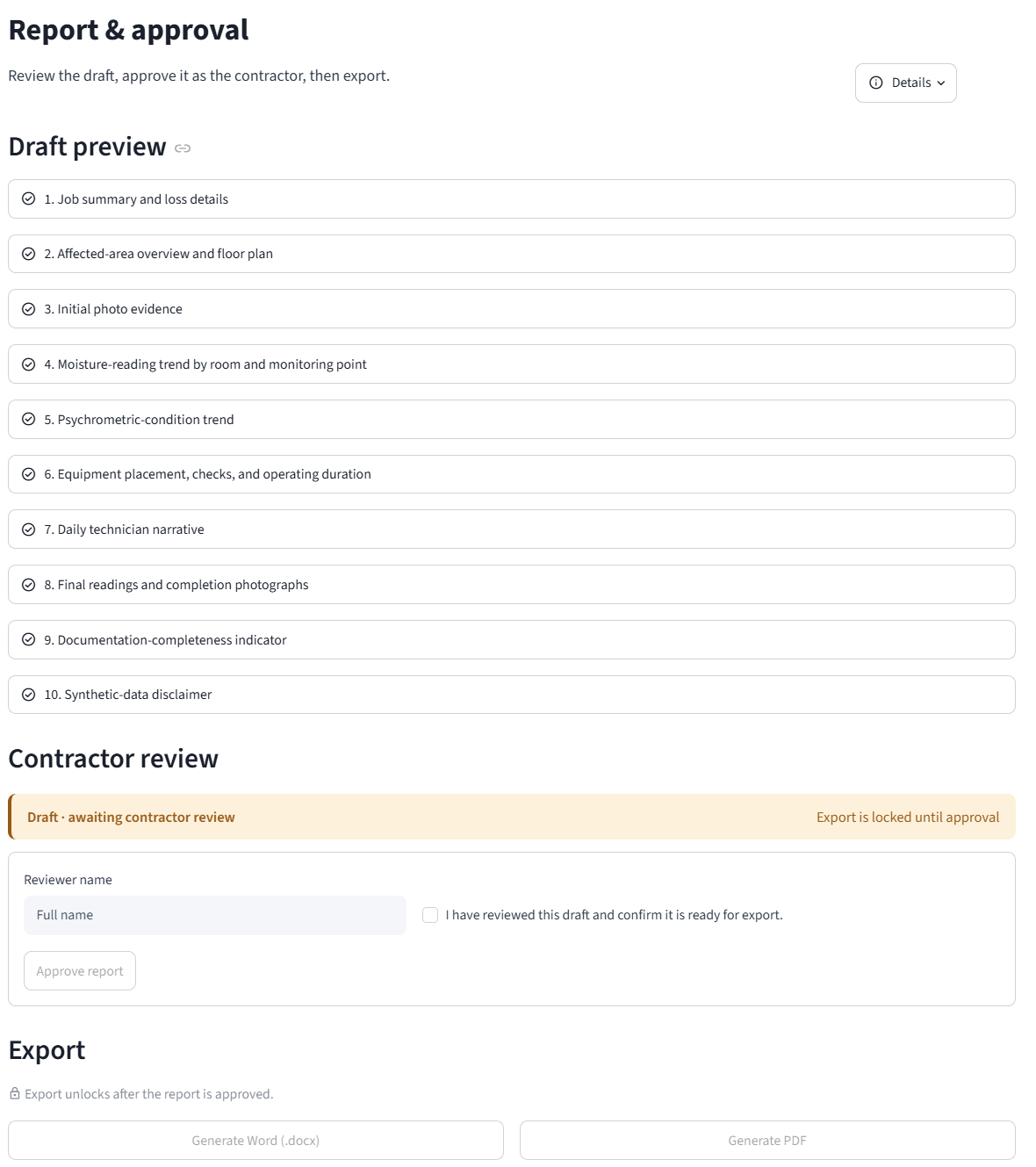
A traceable report drafts automatically. It stays locked until a reviewer approves it, then exports to Word and PDF.
Technical approach
Evidence stays traceable. Approval stays real.
Every report section states which uploaded file and record it came from, missing evidence is flagged rather than guessed at. A single missing or invalid file never blocks the rest of the job. Reports remain locked in draft, with a visible synthetic-data notice throughout the demo, until a reviewer explicitly approves them, and any later change to the underlying data invalidates that approval automatically.
- Traceable reporting
- Approval-gated export
- Partial-package handling
- DOCX & PDF export